Exploring the features that define Zoho Show, setting it aside from PowerPoint as a presentation tool.
I began researching for some new software beyond the traditional and more well known software tools such as Word, PowerPoint & Excel…and I found a presentation tool known as Zoho Show.
There are many features that set this tool apart from PowerPoint as well as sharing some commonalities. The video below will give you a bit of insight into the potential of the tool. Keep in mind that this video was made in 2012 and there have been many updates since.
Since 2012 when the video was uploaded to YouTube, there have been many new features that have been introduced which can be found by clicking here.
Now, getting back to the main features and the potential for use in our classrooms. From reading the website and navigating this platform there are number of highlights that Zoho Show presents to users. There is a free version as well as a paid version, similar to many other creative platforms such as Weebly and Wix. The free version is where I base my experience from.
Create & Design
The tools need to craft each slide are easily accessible, displayed in top-centre of the screen.

iThe ‘Media’ tool allows the user to embed visual material from YouTube, Twitter Feed & video/audio from support external websites.
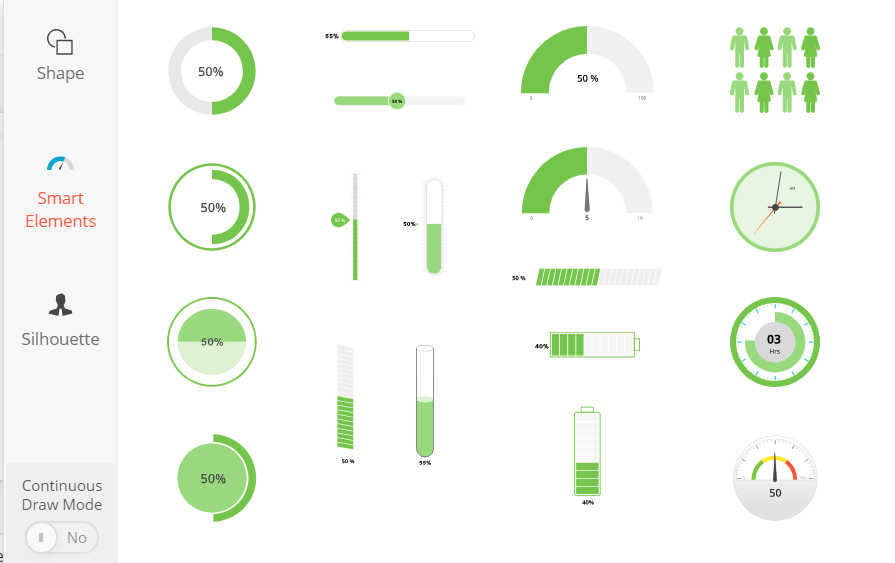
I find the layout less confusing, more accessible and more impressive than PowerPoint. If students want to convert their PowerPoint to Zoho Show, students can do so without any format issues.
Collaborate & Broadcast
I like that Zoho Show can be downloaded and used on a number of portable devices such as iPhone, iPad, and Apple/Android TV. Students can share and collaborate on slides, similar to Google Docs, which would be useful to incorporate into cooperative learning.
By clicking on ‘File’ the presentations can be broadcast and shared to authentic audiences. The link can be shared to social media, the presentation itself can be embedded into a website or blog and can be broadcast to a live audience.
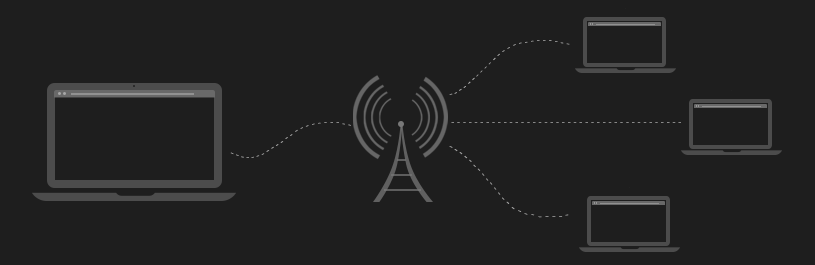
During a live broadcast, an app called Chromecast allows you to use a mobile device, such as a mobile phone, as a remote so you can highlight key points to your audience.
Above are just a few of the highlights of this software that has so much potential in our classrooms. I really like the collaboration and broadcast feature that allows for for teacher-student collaboration as well as student to student and students to broader audience. The design features are an additional highlight to Zoho Show as a presentation tool.
For more features click here, this will take you to their website.

 ESC407: Classroom Technologies
I found your technology to be an interesting choice. However, I have a query. You mention Zoho can be downloaded on iPads and iPhones. Does the iPad version have the same affordances as the pc version? It is often the case that iPad versions have limitations to their pc versions, so I’m curious to see if that is the case here.
LikeLiked by 1 person
Hello Tim,
I have done some research to find an answer to your question.
I downloaded the Zoho Show app on my phone (Samsung) to compare the features available to the PC version ( my laptop). I found you are correct. The iPad or mobile version does not have the same affordances as the PC version.
Editing is not supported for features such as table, chart and ‘smart elements’ on the Samsung, however, can still be viewed. I used my laptop to create a quick powerpoint with the features not supported, I then opened the same powerpoint on my Samsung. The features were still on the slides, I just couldn’t edit them. I’m not sure whether this would be the case for iPads/tablets. Nonetheless, Zoho Show is a fantastic app in that students can continue editing their work on any device.
I hope this helps and thanks for reading my blog post,
Sarah
LikeLike
You’ve chosen an interesting technology to discuss. However, I have a question. You mention Zoho can be downloaded onto iPads, however, does it have the same affordances as a PC version? I only ask because version on iPads are generally more limited than their pc versions.
LikeLike